Prepare folder sources
Choose two directory roots that represent the same logical artifact, such as previous and candidate release folders. Confirm orientation before enabling copy actions. An archive can stand in for a folder: it is compared as the folder it holds. With Pro, a folder snapshot saved earlier can stand in for the folder as it was.
Apply built-in ignore presets or focused custom patterns so generated caches do not overwhelm meaningful changes, or turn on Respect .gitignore files to leave out what each side's .gitignore files ignore.
Compare large trees
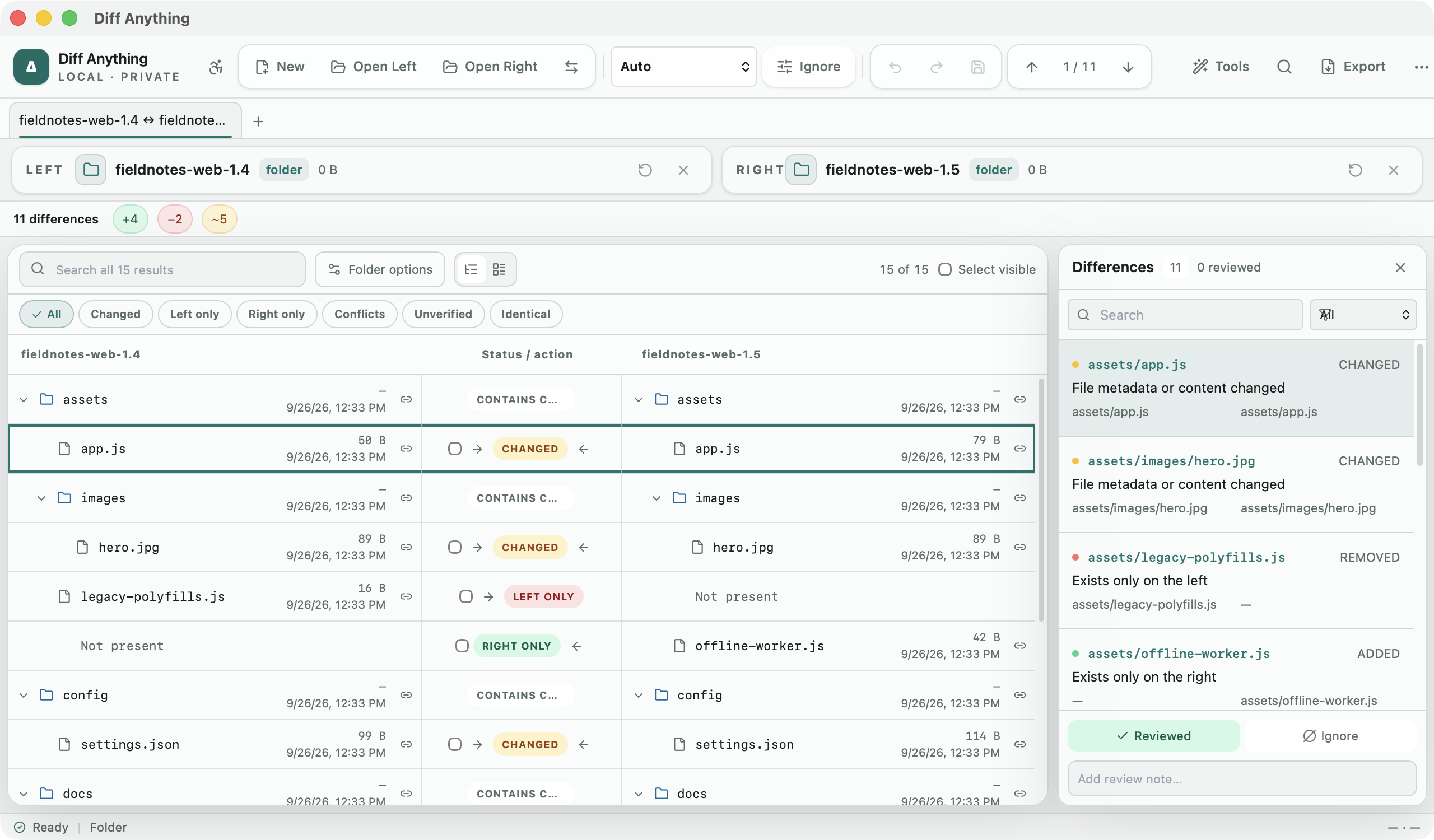
Folder comparison walks both sources recursively and progressively loads the result into two-pane tree or table layouts. Global search, status filters, and ignore patterns keep added, removed, changed, unchanged, and moved paths manageable.
Open a nested pair directly for content-level review. Structured files can use their semantic comparison, while moved-file detection distinguishes relocation from an unrelated delete and create. Archives that both folders hold are compared entry by entry, and Size and date lists only the files of a size or modification date you choose.
On the free plan, the summary counts cover the whole tree and the list shows the first 100 entries; Pro lists every entry.
Synchronize with a plan and an undo path
A Pro synchronization starts from selected relative paths and can apply create, update, delete, and move actions left-to-right or right-to-left. Nested-selection pruning avoids duplicating work, and stale-result protection refuses a plan when the source state no longer matches the reviewed comparison.
Progress and cancellation keep long operations visible. Supported metadata is preserved, completed work is recorded in a durable recovery journal, failures use restart-safe rollback, and one-click undo remains available after success.
- Verify left and right orientation.
- Review every create, update, delete, and move action.
- Keep both roots available until the result is verified.
Compare spreadsheets and documents
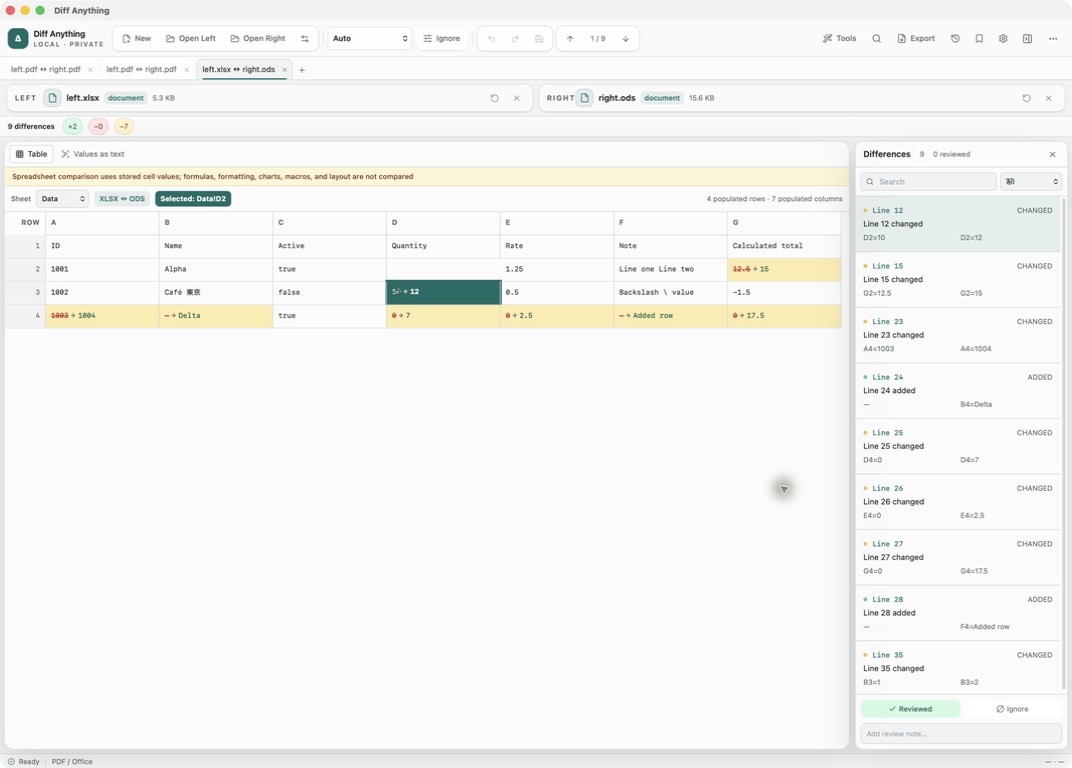
Spreadsheet comparison matches rows by content or key columns across Excel, OpenDocument, and Apple Numbers workbooks, including mixed-format pairs, compares formulas between two workbooks of the same format, and can compare a CSV or TSV export with one sheet of a workbook. It does not compare formatting, charts, macros, or workbook layout. Word, PowerPoint, OpenDocument text and presentation, and RTF review is based on the extracted text: presentation differences are named by slide and other document differences are listed by line. Word and OpenDocument text documents also list formatting changes, such as a word made bold or a paragraph style that changed.
For PDFs, choose Visual diff to raster-compare each rendered page, highlight changed areas, and read its visual-match percentage. Choose Extracted text for wording; selecting a difference keeps that view active. Visual identity does not prove equal metadata, tagging, accessibility, or hidden content, and extracted text does not prove equal layout.
Use visual image tools
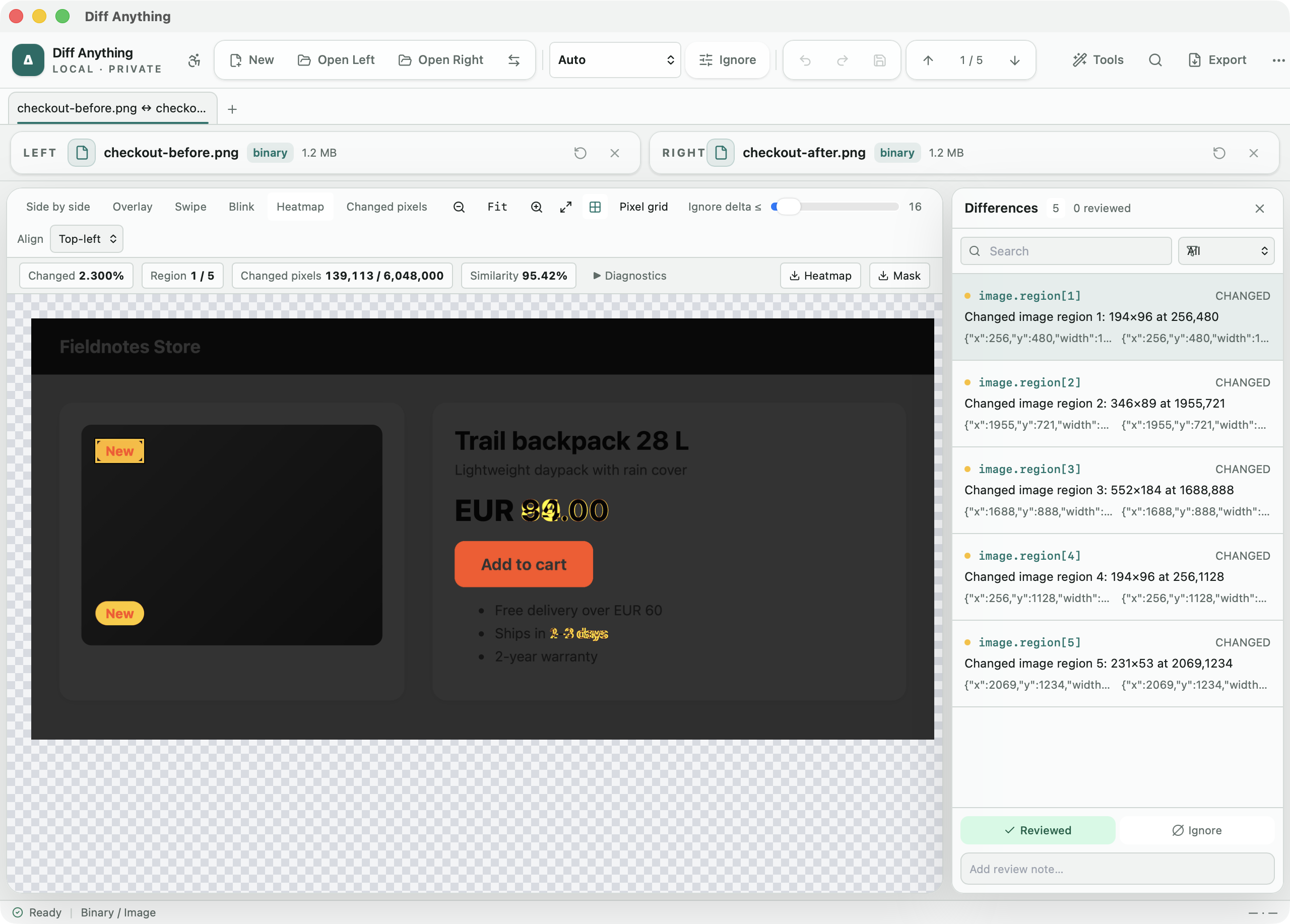
Image mode aligns both inputs on a shared transparent canvas and provides side-by-side, overlay, swipe, blink, heatmap, and changed-pixel views for PNG, JPEG, GIF, WebP, BMP, TIFF, Photoshop, rendered SVG, HEIC, AVIF, camera RAW, and other formats. Real-pixel zoom, a transparency grid, and a threshold make small raster and alpha changes easier to inspect. Draw ignore regions over areas that always change, move the updated image by an offset or with Align automatically, and compare the two images' metadata in a side-by-side table.
The summary reports changed pixels, similarity, mean and root-mean-square error, maximum channel change, and the bounds of the changed area. Dimension changes stay part of the pixel analysis instead of disabling it.
Step-by-step guides
Free & Pro: what’s included
Available on the Mac App Store and Microsoft Store. Free desktop use lets you try every comparison engine for files up to 5 MiB per side and 10 new comparison sessions per local day; collection previews show the first 100 items, binary comparisons the first 100 byte differences, and PDF previews the first 3 pages. Plain text, JSON, and Jupyter notebook comparison are complete, and opening files from Finder or File Explorer, diffanything:// links, and AppleScript are free. The free CLI supports text, JSON, and notebooks, and the command-line helper that brings the CLI to the Mac App Store version is a free download that uses the Pro purchase made in the app. A one-time Pro purchase removes the preview and session limits and unlocks larger sources within technical limits, saved profiles and history, saving folder snapshots, report export and printing, JSON Patch export, applying patches, three-way merge and conflict resolution, the Git merge driver and merge tool, folder synchronization, batch manifests, every CLI mode, and, on Windows, trusted preprocessors.